New Front of Pack Labels: Track Calories Faster
Front of pack Nutrition Info boxes and updated Healthy claims can help you spot added sugars, sodium, and saturated fat faster. Here is how to use them with serving sizes and your calorie tracker to shop quicker and log more accurately.
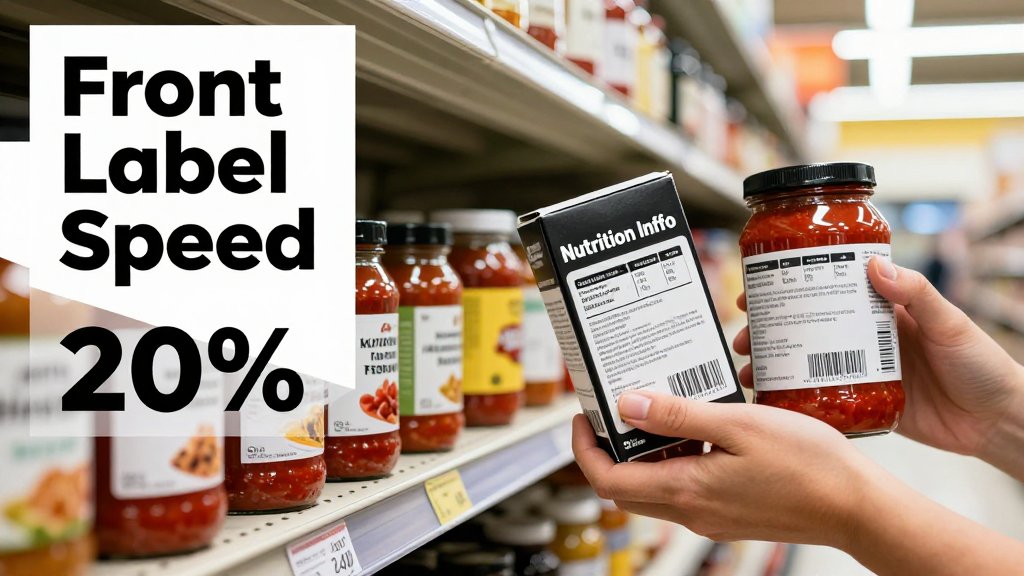
If you have ever tried to compare two cereals while juggling serving sizes, calories, and sugar, you know how easy it is to lose time and confidence in the aisle. New front-of-pack labels aim to fix that by putting key nutrition callouts right on the front, so you can spot what matters faster. In this article, you will learn what these new label boxes mean, how to sanity-check serving size in seconds, and how to read front claims without getting misled.
What the new front of pack labels show
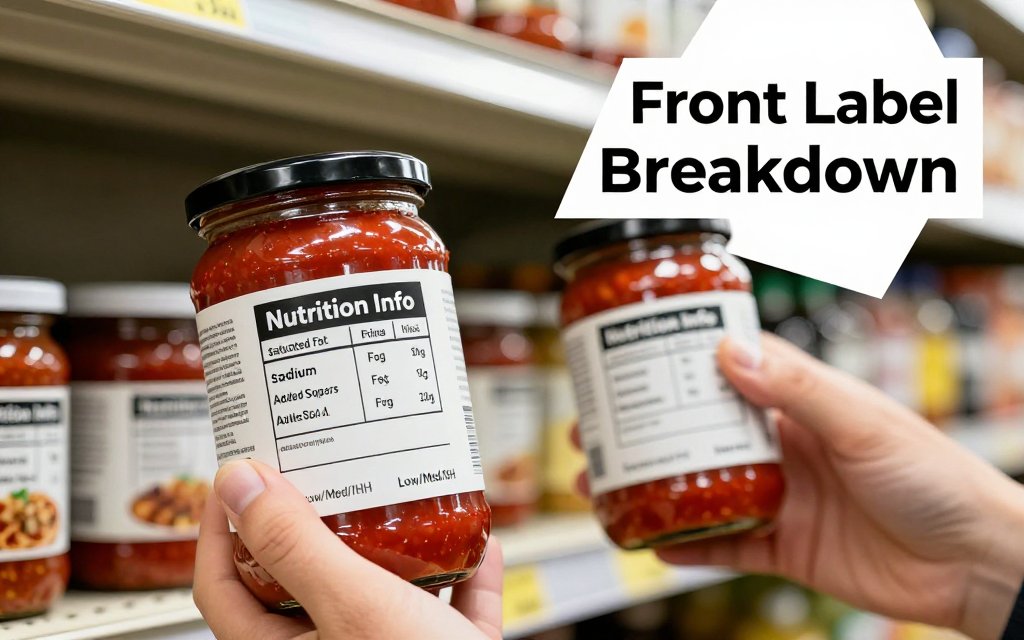
Picture yourself in the pasta aisle: you pick up a jar that looks “healthy,” flip it over, squint at the Nutrition Facts panel, then do the same thing for three more jars. The FDA’s proposed front-of-package approach is meant to cut that friction. The idea is a simple “Nutrition Info” box on the front that flags three nutrients many Americans try to limit: saturated fat, sodium, and added sugars. Each one gets a quick descriptor (Low, Med, or High) per serving, so you can screen options fast without decoding the full label first. That is the core of the FDA front-of-package proposal.
A “front of pack nutrition label” simply means nutrition guidance printed on the front of the package (the side you see first on the shelf), not buried on the back. In the FDA proposal, the Nutrition Info box is designed like a compact, black-and-white sign that lists saturated fat, sodium, and added sugars, paired with a percent Daily Value and the Low, Med, or High tag. It is not trying to replace the Nutrition Facts panel. Think of it as a fast spotlight on a few common “watch-outs,” not a full nutrition report. One surprising detail: calories may not appear inside that front box, even though brands can still use separate front-of-pack calorie callouts elsewhere (like “120 calories per bar”).
“I tell friends to use the front label like a traffic light, not a report card. It gets you to a short list fast. Then you confirm calories and serving size on the Nutrition Facts panel.”
Nutrition Info box vs Nutrition Facts panel
Use the front box as your first-pass filter, then use the Nutrition Facts panel as your “logging screen.” The back panel is still where you get the numbers that matter for calorie counting and macro tracking: calories, serving size, servings per container, grams of protein, total carbs, fiber, total fat, and the exact grams and percent Daily Value for many nutrients. If you are tracking in an app like CalMeal, that back panel is what you want to match as closely as possible. If you are also managing appetite or medication effects, you may like this quick companion read on tracking protein fiber calories, because the front label is not built to show those details.
Here’s how this plays out in real life: two granolas can both say “wholesome” on the front, both show pictures of oats and almonds, and both look like they belong in the same “healthy breakfast” bucket. Then you flip them over and realize they are totally different in your calorie budget. One might be 270 calories per 2/3 cup, while another is 180 calories per 1/2 cup. Even before you debate which is “better,” you have a practical decision to make: which serving size will you actually pour into a bowl on a busy morning? The front box helps you avoid a high added sugar surprise, but the back panel tells you what to log.
What Low, Med, and High really mean
Low, Med, and High are not vibes, they are tied to percent Daily Value thresholds per serving. That last part (per serving) is where people get tripped up. A package can look small and still land a High flag if the serving size is small or if the nutrient is concentrated. Also, many packages contain more than one serving, so a “not too bad” jar, bag, or bottle can become a lot once you eat double. Your best move is to treat the front box as a quick heads-up, then immediately check two lines on the Nutrition Facts panel: serving size and servings per container. Those two lines tell you whether the front label is describing your real-world portion.
One fast mental rule for weight loss: if a product is High in added sugars, you will usually feel it in your daily calorie budget sooner than you think because sugar calories add up without much fullness. A simple trick you can start today is the “times four” check. Added sugars are listed in grams, and sugar has about 4 calories per gram, so 10 g added sugar is roughly 40 calories, 20 g is roughly 80 calories, and that is before you count the rest of the food. This is not about banning sugar, it is about noticing when a “small treat” quietly becomes a big chunk of your target.
The moment front-of-pack labels help most is when you are comparing two similar products and you need a quick tie-breaker. Say you are choosing between two jarred pasta sauces while trying to lose weight and keep sodium in check. Both jars look similar, both are tomato-based, and both claim “classic” flavor. The Nutrition Info box can quickly show you which one is lower in sodium (or which one has a High sodium flag). Once you narrow it to one or two choices, flip to the Nutrition Facts panel to confirm calories and serving size, since the front box may not show calories. If you have blood pressure, kidney, or other health concerns, it is smart to check with your clinician for personal sodium targets.
How to read labels quickly for calorie tracking
Here is the fastest accurate workflow that still keeps your calorie log clean: (1) use the front-of-pack Nutrition Info box to eliminate obvious bad fits for your current goal, then (2) flip to the Nutrition Facts to confirm serving size and calories before it goes in your cart. The front panel is your speed filter, the back panel is your truth check. If a product is marked “High” for a nutrient you are actively limiting (often added sugars, sodium, or saturated fat), it is usually not worth spending more time on. In the FDA’s proposed front-of-pack system, “High” corresponds to 20% Daily Value or more per serving. (fda.gov)
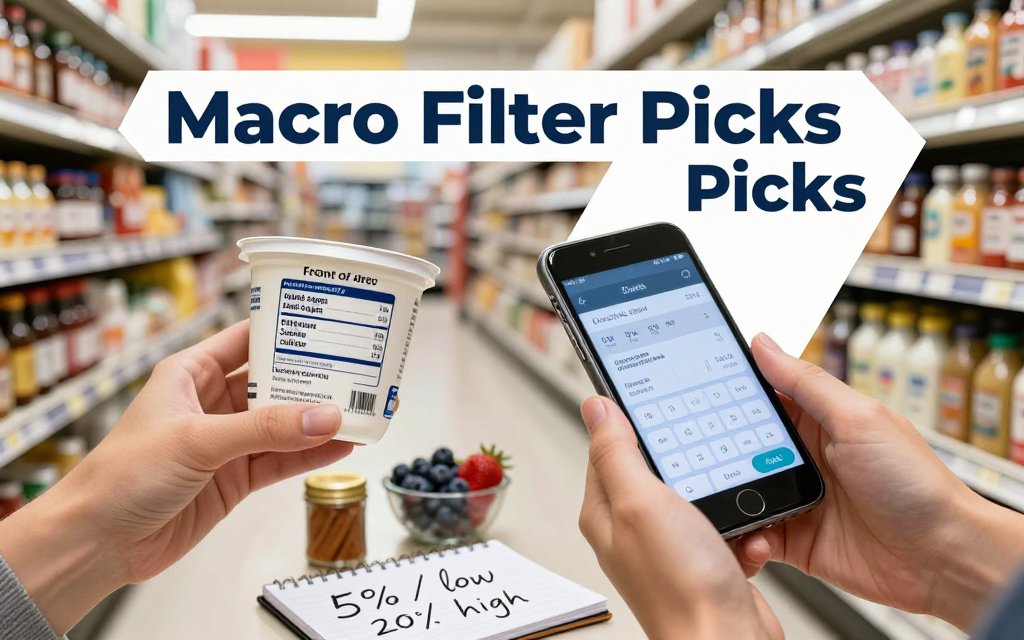
After you filter, verify calories and serving size because those two lines drive almost every logging decision. Serving size is what the label uses to calculate everything, but your portion size is what you actually eat, and that gap is where “mystery calories” sneak in. If you track calories only, your quick win is to confirm “calories per serving” and then decide if you realistically eat 1 serving, 2 servings, or half a serving. If you also track macros, add one more check: protein grams per serving. This is also the moment to glance at fiber as a practical fullness clue. FDA labeling guidance also explains how serving sizes are set and how dual-column labels work for some packages, which helps reduce math mistakes. Think of this as your repeatable aisle script. You are not trying to “eat perfect” in the store, you are trying to avoid the two traps that blow up calorie tracking: underestimating servings and buying a “healthy sounding” product that is actually “High” in the one nutrient you are trying to rein in this month. If you use CalMeal, do the decision first, then log right after you put it in the cart so your brain does not have to remember later. For macros, your extra checks are still fast because you are only scanning 2 lines: protein and fiber. (fda.gov) A common mistake looks like this: you pick the “lower-calorie” option, then casually eat 2.5 servings, and it ends up higher than the “higher-calorie” option you would have portioned correctly. Example: crackers at 120 calories per serving can turn into 300 calories if you eat 2.5 servings. Meanwhile, a different cracker at 160 calories per serving might stay 160 if you commit to a single serving and pair it with salsa or cucumber slices. This is why serving size comes before brand promises, protein claims, or even ingredient lists. If you do nothing else, make “servings first, calories second” your rule. (fda.gov) Concrete example: tortilla chips are often about 140 calories per 1 oz (roughly 10 to 12 chips). If you routinely eat 30 chips while watching a game, that is closer to 3 servings, which is about 420 calories before you count dip. The label did not “trick” you, it did math for a smaller amount than your portion. In CalMeal, the clean fix is simple: log 3 servings, or weigh the chips and log the grams if you want maximum accuracy. Do this once or twice, and you will start eyeballing 1 oz portions much better. (fda.gov) Serving size is the standardized amount the label uses for its numbers. Portion size is the amount you choose to eat. For accurate tracking, match your portion to servings by weighing, counting, or logging 2x or 3x servings. Watch for dual-column Nutrition Facts panels, they list values “per serving” and “per container” (or per package) on the same label. These are especially helpful for items that people often finish in one sitting, like a bottled smoothie, a big iced tea, or a “single” soup that is actually two servings. If you always drink the whole bottle, use the per container column when you log, it removes guesswork. If your fat loss goal is mostly about staying within a calorie budget, you can also make shopping easier by prioritizing higher-volume, lower-calorie foods, and then using the label routine above to stay precise. Pair this label habit with energy density eating hacks and you will cut calories without feeling like you are eating less food. (fda.gov) In a real grocery aisle, I treat the front-of-pack calls for added sugars, sodium, and saturated fat like a quick filter. Not because calories do not matter (they do), but because these three are the easiest to accidentally stack across sauces, snacks, and drinks. They also tend to show up in foods that are more calorie dense, less filling, and easier to keep picking at. A simple shortcut is to translate the front callouts into %DV thinking: 5% Daily Value or less is “low,” and 20% Daily Value or more is “high,” using the FDA %DV rule as your guide. That same reference lists Daily Values like 50 g added sugars, 2,300 mg sodium, and 20 g saturated fat, which makes label math much faster. Here is the rule I want you to steal and use: “If two options have similar calories, pick the one with lower added sugars, because it usually keeps hunger steadier.” Think about yogurt. A single-serve flavored yogurt cup is often 140 to 170 calories with 10 to 15 g added sugars. A plain nonfat Greek yogurt is often 90 to 120 calories with 0 g added sugars, and you can add 1/2 cup berries (about 40 calories) plus cinnamon, or even 1 teaspoon honey (about 20 calories) if you want it sweeter. The calories can end up similar, but the lower added sugar option tends to feel less snacky and easier to portion. The same label logic works on the highest stall-risk aisle: bars and beverages. A granola bar that looks “healthy” can be 180 to 220 calories with 10 to 12 g added sugars, which is basically dessert math in a wrapper. If a protein bar is 190 calories with 2 to 4 g added sugars, that is usually the better pick for staying full on a cut. Bottled coffee drinks are another classic trap, it is easy to grab a 12 to 13 oz bottle that hits 200 to 300 calories and 25 to 40 g added sugars. And do not forget pasta sauce: two sauces can both be 60 to 80 calories per 1/2 cup, but one might have 0 g added sugars while another has 6 g. “Natural” ingredients like cane sugar, honey, agave, rice syrup, and fruit juice concentrate can still count as added sugars, so the Nutrition Facts added sugars line is your tie-breaker. “When clients stall, it is rarely because they forgot broccoli. It is usually sauces, snacks, and drinks. The front box helps you spot the sneaky stuff, then you confirm calories before it lands in your cart.” High sodium does not “ruin” fat loss, but it can absolutely mess with your patience. If you go from a lower sodium day to a salty day, the scale can jump from water retention even when your calories are on point. That matters because it makes it harder to interpret progress, and people often over-correct by slashing calories or giving up. Sodium also nudges you toward convenience meals because many packaged combos rely on salt for punch. A practical store swap is canned soup: if the regular version is around 800 to 1,000 mg sodium per serving and a lower-sodium version is closer to 400 to 600 mg, pick the lower-sodium one, then add your own protein (rotisserie chicken, canned beans rinsed, or a microwaved egg) so it is filling without turning into a salt bomb. Saturated fat is your fast signal for calorie density in a lot of packaged foods. It is not the only thing that matters, but in the wild, higher saturated fat often shows up in foods that are easy to overeat: pastries, candy, ice cream, cheesy frozen meals, and many “keto” snacks. If you are comparing two frozen meals that are both 350 to 450 calories, the one with 2 to 4 g saturated fat is usually easier to fit into a week of consistent tracking than the one with 8 to 12 g. A clean swap that works for busy professionals is to choose a leaner frozen meal (lower saturated fat and not “High” sodium on the front), then add a bagged side salad with a measured dressing. You get more volume for similar calories, which helps portions feel realistic. If you want a snack example you can use today: compare chips vs popcorn when calories are similar. A 150-calorie serving of chips can come with a “High” sodium callout and a few grams of saturated fat, which can make it very easy to keep snacking past what you logged. Popcorn can still be a processed food, but many options land closer to “Low” saturated fat, and the bigger bowl makes portions feel satisfying. One more coaching tip for calorie counters: foods that combine sugar, salt, and saturated fat can be “moreish,” even if the calories look reasonable per serving. That pattern matches what researchers saw in a controlled NIH study in 2019, where people ate about 500 more calories per day on an ultra-processed diet versus a minimally processed diet, without being told to overeat. If you have health concerns like high blood pressure, high cholesterol, or kidney disease, check with your doctor about sodium and fat targets that fit you. Quick reality check before you let any front label make decisions for you: “healthy” can still be calorie-dense, and foods without a “healthy” label can still fit your plan. The FDA’s updated “healthy” claim is designed to better match real-world dietary patterns and food groups, so it can be a useful shortcut for finding more nutrient-dense basics. But it is not a weight loss guarantee, because your progress still comes down to calories, portions, and consistency. If you are aiming to lose weight (or maintain), treat “healthy” as a helpful starting point, then verify serving size and calories before it lands in your cart. For the details behind the update, see the FDA’s consumer update on the Healthy claim. Here is a simple under-one-minute grocery scan that combines three signals without overthinking it. First, look for the Healthy claim, which is your ingredient and pattern clue, meaning the food is more likely to be a solid “default.” Second, use the front-of-pack Nutrition Info box (if present) as your fast “limit these” filter, focusing on added sugars, sodium, and saturated fat levels. Third, flip to Nutrition Facts to confirm the stuff that actually controls your daily budget: calories per serving, serving size you will really eat, and protein. The FDA’s proposed Nutrition Info box highlights saturated fat, sodium, and added sugars, and it generally does not include calories inside the box, so you still need the back panel for logging. The FDA explains this in its front-of-package Nutrition Info box update. Put that three-signal scan into a real cart example. A granola labeled “healthy” might be 300 calories per 2/3 cup, which is easy to pour twice. That is 600 calories before lunch, even though it “sounds” like a good choice. Compare it to 0 percent plain Greek yogurt (often 90 to 120 calories per 3/4 cup with 15 to 18 g protein) plus 1/2 cup berries (about 40 calories) plus 1 tablespoon chopped walnuts (about 45 calories). Both can be nutritious, but the second combo gives you more protein per calorie and usually better hunger control. Same story with trail mix, hummus, avocado, olive oil, and nut butters. They can fit, but portions matter. No. It means the food meets specific criteria, not that it automatically supports a calorie deficit. A product can qualify as “healthy” and still land at 250 to 400 calories per serving, which matters a lot if you eat it twice daily. Use the claim as a shortcut to “better default choice,” then confirm calories per serving, the portion you will actually eat, and protein per calorie. A simple rule: if a meal is 400 to 500 calories, try to get 25 to 35 g protein. For personal health concerns, check with your doctor. The proposed Nutrition Info box focuses on saturated fat, sodium, and added sugars. Calories may not be included inside that box, and macros like protein still live on the Nutrition Facts panel. If you track macros, think of the front label as your filter, not your logging source. Practical macro check: for a snack that is 200 calories or higher, look for 10 g protein or more, then adjust to your goal (for example, 15 to 20 g if you are aiming for higher protein). Still check serving size, because “1 bar” versus “2 cookies” changes everything. Use a repeatable cart-to-log method. As you add a packaged food to your cart, log it right then using the Nutrition Facts serving size and calories, not the front label. Next, set a default portion you will actually eat at home and save it mentally: 2 tbsp peanut butter (often 180 to 200 calories), 1 cup cooked rice (about 200 calories), or 1 whole frozen entree (commonly 300 to 600 calories). The biggest mistake is logging “1 serving” automatically, then eating more or less. CalMeal can speed this up with photo recognition, but always confirm serving size for packaged foods. If you want the simplest first step, make it frictionless, not perfect. Download CalMeal on iOS and Android, then set a first-week goal you can actually keep: log 1 meal per day, every day, and do it right after you eat (or as you unpack groceries). Once that feels automatic, build to 2 meals, then add snacks, and finally tighten up portions. Consistency beats intensity here. You will learn which “healthy” foods are your best everyday staples, which ones are better as measured add-ons, and where your calories and protein are really coming from. Ready to make calorie tracking feel effortless starting today? Download CalMeal for free and skip the mental math. With AI-powered food recognition, you can log meals faster, stay consistent, and make smarter choices with less guesswork. Get the app here: iOS or Android. Start tracking your nutrition now and see progress sooner.FOP cue Check next Log CalMeal High sugars Added sugars g Servings + cals High sodium Sodium mg Servings + cals High sat fat Sat fat g Servings + cals Low or Med Serving size Cals per serving Protein callout Protein g Protein + cals The 20 second aisle routine that prevents bad logs
Serving size vs portion size, with real numbers
Use added sugars, sodium, saturated fat to choose better
Added sugars: Low, Med, High and what to do with it
Sodium and saturated fat: the diet derailers people ignore
Healthy claims, grocery shopping, and fast FAQs
Does the Healthy claim mean it is good for weight loss
Will front-of-pack labels include calories and macros
What is the fastest way to log groceries without guessing
Start Tracking Your Nutrition Today
Download CalMeal for free and take the guesswork out of calorie counting with AI-powered food recognition.