Serving Size Math: Stop Underlogging Packaged Snacks
If your logged calories feel “too good to be true,” the culprit is often serving-size math. This guide shows you how to read Nutrition Facts labels, calculate calories per serving vs per container, and handle two-column labels so you stop underlogging packaged snacks and track macros accurately.
Packaged snacks can sabotage your calorie and macro tracking faster than any restaurant meal. The label looks straightforward until you realize that “1 serving” is not the whole bag, and a single handful can turn into 2.5 servings without you noticing. If your progress feels inconsistent, serving-size math is often the missing piece. In this article, you will learn quick ways to spot multi-serving packages, calculate what you actually ate, and log it accurately in seconds, not minutes.
Serving size vs portion size, the real difference
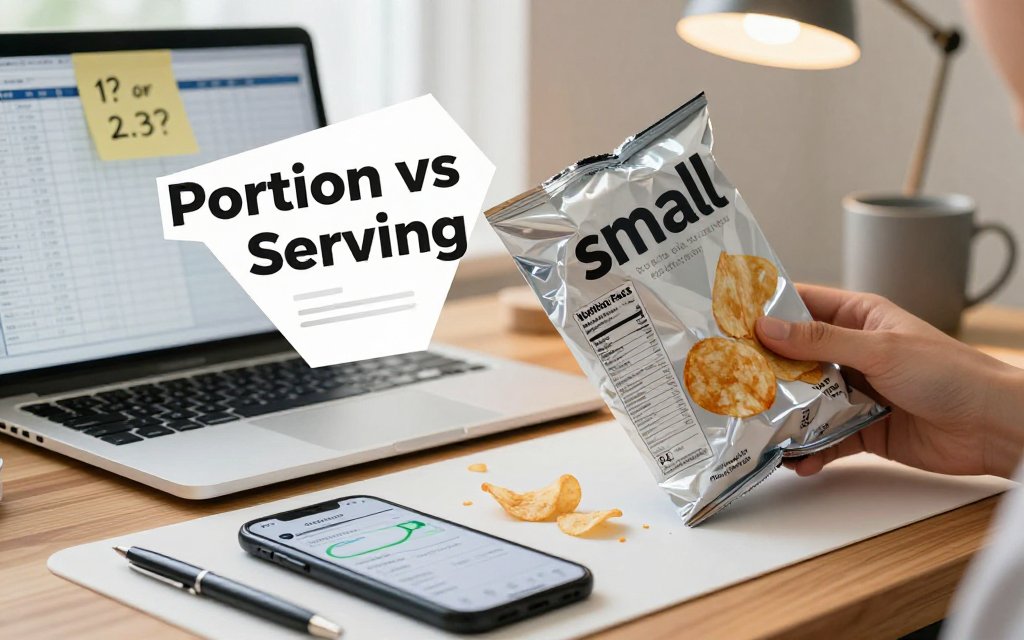
You know that moment: you grab a “small” bag of chips from the break room, eat it while answering emails, and log it as 1 serving because it feels like one. Later, you are confused. You “stayed on track,” your steps were solid, and yet your weekly average calories look higher than expected. This is one of the most common, most fixable underlogging mistakes with packaged snacks, and it has nothing to do with willpower. It is just label math plus busy life. If your snack logging is sometimes a little optimistic, you are in very good company. The goal here is not to be perfect. It is to stop losing progress to avoidable math errors.
Here is the key concept to lock in: a serving size is a standardized unit used on the Nutrition Facts label, while your portion size is what you actually ate. Sometimes your portion equals 1 serving. Sometimes it is 2 or 2.3 servings. Sometimes it is the whole package. The Nutrition Facts panel is not guessing what you ate, it is reporting nutrients for a specific amount of food, and it also tells you how many of those amounts are in the container. The FDA even calls out that serving sizes are standardized for easier comparison, and that you should check both “servings per container” and “serving size” first, which is clearly explained in FDA serving size guidance. Your quick mental framework is simple: log 1 serving only if you ate 1 serving, log multiple servings if you ate more than one, and log the whole package if you finished the package.
Log what you ate, not what the label wishes you ate. If you finished the bag, multiply calories and macros by servings per container. Ten seconds now beats a week of wondering why progress stalled.
The label is not judging you, it is just math
In plain language, the serving size is the label’s “unit of measure,” and your portion is your real intake. This is why a snack can look “single-serve” and still be more than one serving. A classic example is a 2.25 oz chip bag (about 64 g). It is small, it is personal-sized, and the front can feel like a green light to log “1 bag” as “1 serving.” But flip it over and you might see something like: serving size 1 oz (28 g), servings per container 2 (or 2.3). People miss this because the information that matters most is often in smaller print on the back, and our brains love shortcuts when we are hungry, distracted, or eating on autopilot. The label is not trying to trick you, it is just describing nutrients per serving, and asking you to do one tiny piece of multiplication if you ate more.
Let’s put numbers to it, because numbers make this feel real fast. If the label says 140 calories per 1 oz serving, and the bag contains 2.3 servings, the whole bag is about 322 calories (140 x 2.3). That is not “bad” or “good,” it is just the actual total. The underlogging problem happens when you eat the entire bag but only log 140 calories. Do that a few times a week with chips, crackers, trail mix, or chocolate, and your calorie deficit can quietly disappear. A simple rule that saves you: if you ate the whole package, always check servings per container before you log. If it is more than 1, you either multiply, or you choose the “per package” option when it is provided.
Your first 10-second label scan
Here is a fast scan routine you can do while you are literally opening the snack. It is quick, repeatable, and it keeps your log aligned with reality without turning you into a human spreadsheet.
- Find servings per container (top of the label).
- Confirm serving size units (grams, pieces, cups, or “about X chips”).
- Read calories per serving (and any macros you track).
- Decide how many servings you ate (1 serving, multiple servings, or whole package).
If the label says 2 servings per container and you ate it all, you already know the answer: log 2 servings. This is usually faster than trying to remember later, then backtracking when the scale trend is not matching your effort.
Accuracy beats perfection, especially with packaged snacks because they are easy to repeat. If you miss once, no big deal. If you miss five times in a week, your weekly average can shift enough to feel like “my metabolism is broken,” when the real issue is a few uncounted half-servings. A practical tip: if you are not sure you will stop at one serving, pre-decide that you will log the whole package first, then adjust down only if you truly leave some. And if you are tracking appetite or protein while using medications that affect hunger cues, careful logging can be extra helpful, so pair this habit with GLP-1 protein and fiber tracking. Image concept: a hand holding a chip bag with three highlighted callouts on the Nutrition Facts panel, circling “servings per container,” “serving size (g),” and “calories,” plus a small sticky note that says “Ate whole bag? Multiply.”
Calories per serving vs per container, do this math
Packaged snacks are where accurate tracking quietly breaks down. The front of the bag might say “160 calories,” your brain files that as “this snack is 160,” and then you finish the whole bag while answering emails or sitting in the car. The catch is almost always the same: the 160 is calories per serving, not calories per container. If the label says 2.5 servings per container, that “160 calorie snack” is actually a 400 calorie snack when you eat it all. The good news is you do not need complicated nutrition math to fix this. You just need one formula and a quick way to estimate how much of the package you ate.
The only formula most people need
Total calories eaten = calories per serving × number of servings you ate. Same idea for macros: total protein = protein per serving × servings eaten, and repeat for carbs, fat, and fiber. This is exactly how the Nutrition Facts label is meant to be used: you check serving size and servings per container, then scale the numbers to what you actually ate, not what the “serving” was on paper. The FDA even calls out looking at servings per container first so you understand how many calories and nutrients you are consuming if you eat the whole package. That is why the “servings per container” line is such a big deal on labels, as explained in Nutrition Facts basics.
The only tricky part is getting “number of servings you ate.” You have two easy options. Option A: if you ate the entire package, use the label’s servings per container number. That is literally what it is for. Option B: if you ate part of the package, estimate the fraction you ate, then multiply that fraction by servings per container. Example: a bag has 2.5 servings per container. You ate about half the bag, so servings eaten is 2.5 × 0.5 = 1.25 servings. This method works even when the serving sizes are awkward decimals, which is why people tend to underlog without realizing it.
Here is how this looks in real life, using a very common label pattern: 160 calories per serving, 2.5 servings per container. If you finish the bag, you ate 2.5 servings, so 160 × 2.5 = 400 calories. If you eat half now and half later, each “half bag” is 1.25 servings, so 160 × 1.25 = 200 calories each time (and the macros double check the same way). If you share the bag evenly with one other person, you still need the same math: you each ate about half, so you each log about 200 calories, not 160. This is also why “I only had a snack” can quietly become a big chunk of the day’s intake.
Table: common snack label traps and correct totals
Use the table below as a quick “sanity check” for the snacks that most often get underlogged. The specific numbers vary by brand and flavor, but the trap is consistent: per-serving calories look reasonable, and per-container totals can be a lot higher. Mini walkthrough you can memorize: if it says 160 calories per serving and 2.5 servings per container, the bag is 400 calories (160 × 2.5). Once you do this a few times, you will start spotting the pattern before you even open the bag, which makes it much easier to choose a portion on purpose.
| Snack | Label | Whole |
|---|---|---|
| Potato chips | 160cal,2.5sv | 400cal,38gC |
| Crackers | 150cal,2sv | 300cal,34gC |
| Trail mix | 170cal,2.5sv | 425cal,45gC |
| Cookies | 160cal,2sv | 320cal,50gC |
| Ramen cup | 190cal,2sv | 380cal,52gC |
| Microwave popcorn | 160cal,3sv | 480cal,42gC |
Two practical ways to make this painless: decide the serving count before you start eating, or physically portion it. If you plan to eat half, log 1.25 servings up front (using the servings per container number), then put the bag away. If “half” is hard to eyeball, pour the snack into a bowl and immediately put the package out of reach, or split it into two containers so “later” is actually later. If you want snacks to fit your goals more easily without feeling deprived, pair this math with energy density hacks for fullness so the portion you log feels more satisfying. For any medical or health concerns, check with your doctor or a registered dietitian.
How to handle two-column Nutrition Facts labels
What a two-column label is really telling you
Two-column Nutrition Facts labels are a gift for real life. They usually show up on foods that are “kind of” multi-serving, but easy to finish without thinking, like a pint of ice cream, a 24 oz soda bottle, a bigger bag of trail mix, or a “share size” candy bag. The two columns exist because most of us do not want to do serving-size math while standing in the kitchen at 9 pm, hungry, holding a bag that says “about 3 servings.” The label is trying to reduce the most common logging mistake: recording only the “per serving” numbers by default when you actually ate the whole container.
Here is what the columns mean. The left column is “Per serving,” which matches the serving size listed at the top (for example, 30 g, 1 cup, 12 pieces). The right column is “Per container” (or “Per package” or “Per unit”), which assumes you finish the entire package. If a label says 3 servings per container and the per-serving calories are 160, the per-container calories will be 480. Same idea for macros: if one serving has 8 g fat, 22 g carbs, and 3 g protein, the whole bag is 24 g fat, 66 g carbs, and 9 g protein. The common pitfall is logging 160 because you saw it first, even though you ate 480.
You will also see two-column labels because labeling rules are designed to match how people actually eat, not how we wish we ate. The FDA explains that some packages can reasonably be consumed in one sitting, even if they contain more than one serving, so manufacturers may use dual columns to show both “per serving” and “per package” numbers side by side. You can read the FDA overview in this serving size explanation. Translation for your calorie log: the package is warning you that finishing it is common, so your log should be ready for that reality.
Quick decision rules for logging
Use this simple decision tree when you see two columns. (1) Ate the whole package? Log the per-container column, full stop. That is the “I finished the pint” or “I drank the whole bottle” choice. (2) Ate exactly one serving? Log the per-serving column, and you are done. (3) Ate something in between? Multiply the per-serving numbers by how many servings you ate. Example: if per serving is 150 calories and the bag says 3 servings per container, eating 2 servings is 300 calories. If you are tracking macros, multiply those too, so your carbs, protein, fat, added sugar, and sodium all stay honest.
Two-column labels are a built-in calculator: if you ate it all, use “per container.” If you ate one serving, use “per serving.” Anything in between is “per serving” multiplied by servings eaten, preferably measured in grams.
For the “in between” case, grams beat guesswork almost every time. “Half the bag” is rarely half, especially with chips and trail mix where big pieces and crushed crumbs change volume fast. If the serving size is 30 g and you pour some into a bowl, weigh the bowl on a kitchen scale, tare to zero, then pour your portion and read the grams. If you ate 45 g, that is 1.5 servings. So if per serving is 160 calories, you log 240 calories (160 x 1.5). You can do the same math for protein and fiber, which helps you avoid the sneaky under-logging that slows fat loss over weeks.
Image concept to make this click fast: picture a two-column Nutrition Facts label with a bold callout circle around “Servings per container: 3.” Add an arrow pointing to the left column labeled “If you ate one serving, log this,” and another arrow to the right column labeled “If you finished the package, log this.” Under both columns, add small callouts highlighting calories and one macro line, like “Total Carbohydrate,” to reinforce that you multiply everything, not just calories. One more helpful callout: circle the gram serving size (like “30 g”) with a note, “Use grams for partial portions.” If you have health concerns or a medical condition, it is always smart to check with your doctor about nutrition targets.
Packaged snack calorie tracking, make it foolproof
Packaged snacks are where most calorie logs quietly drift off course, not because you are doing anything wrong, but because packaging is designed to feel like a “unit.” A small bag, a sleeve, a bar, a mini tub, a handful from a shared bowl, it all feels like one serving. Your foolproof goal is simple: build a repeatable habit that catches the three most common underlogging traps. Those traps are (1) the package is more than one serving, (2) your “handful” is heavier than you think, and (3) the barcode entry in your app does not match your exact package. The win is not perfection, it is fewer surprises at the end of the day.
Your one-minute routine for accurate snack logs
Make accuracy automatic by using a “scale when it matters” rule. If the snack is energy-dense and easy to overpour (trail mix, chips, granola, nuts, chocolate clusters), weigh it once and log grams. If it is a clearly defined item (one protein bar, one labeled cookie pack), barcode scan is fine, but only after you confirm the entry matches your label. For single-serve looking items (a small chip bag, a muffin twin pack, a “mini” cookie sleeve), default to a fast glance at servings per container before you eat. That one glance prevents most underlogging. The FDA also emphasizes checking serving size and servings per container first, because the Nutrition Facts are usually listed per serving, not automatically per package. (fda.gov)
Here is how that routine looks in real life. You open a sleeve that holds 6 cookies and you eat 3. The label says 2 cookies (28 g) per serving, 3 servings per container. Your log is 1.5 servings, or even better, weigh the 3 cookies if sizes vary. Now the trail mix moment: you pour “just a little” into a bowl while answering emails. Put the bowl on a kitchen scale, tap tare, pour, and log the exact grams. And yes, the “I licked the spoon” peanut butter moment counts. A small smear can easily be 5 to 10 g (about 30 to 60 calories), so log a quick “peanut butter, 5 g” entry and move on without guilt.
Barcode logging is fast, but it is only as accurate as the match. Treat the scan like a suggestion, not a fact. After scanning in CalMeal (or any tracker), compare four things to the package in your hand: serving size in grams, calories per serving, servings per container, and at least one macro (like fat grams). If anything is off, search within the app for the correct size (regular vs family-size) or type the nutrition from the label. This matters because brands reformulate, multipacks contain different sizes, and “share size” packages often have a different serving count than the standard bag.
Consistency beats obsessing, especially with snacks. A helpful mindset is “tight where it matters, loose where it does not.” Tight means weighing calorie-dense pours and logging the full package when you finish it. Loose means not spiraling over a single extra pretzel. Research using doubly labeled water, which measures energy expenditure objectively, shows that misreporting is common and that snack foods and sweets can be selectively underreported. If you want a science-based reminder of why snack routines matter, this open-access paper on energy intake misreporting discusses how underreporting can happen and why it often clusters around snack-type foods. (pmc.ncbi.nlm.nih.gov)
What does servings per container mean if I ate the whole package?
Servings per container is the label telling you how many labeled servings are inside the package. Rule to remember: if you ate the whole package, you log the whole package, even if the label looks “single-serve.” Practically, that means multiplying calories and macros by the number of servings per container, unless the label already provides per-package numbers (some packages do). Example: if chips are 150 calories per serving and there are 2.5 servings per container, the whole bag is 375 calories. That quick multiplication prevents the most common packaged snack underlog. (fda.gov)
If the package says about 2 servings, do I log 2 or 1?
Treat “about” as a warning label that you should not assume. Quotable rule: if you ate the whole thing and it says “about 2 servings,” log 2 servings (or log by grams if you can). “About” usually means the weight varies slightly between packages, and your specific bag might be closer to 2 full servings than you think. If you ate half, log 1 serving only if you truly ate about half the grams. If you do not have a scale, round in the direction that matches your goal, which for weight loss usually means rounding up.
Is it better to log packaged snacks by grams or by servings?
Grams are usually more accurate, servings are usually faster. The simple rule: use grams for anything you pour, scoop, or nibble from a larger container, and use servings for clearly separated items you eat exactly as packaged. Grams reduce the “cookie was bigger than the picture” problem and the “handful was heavy” problem. Servings work well for a sealed bar, a labeled single pack, or a counted item where the label defines a piece and you actually count it. If your progress stalls, switch your top two snack items to grams for one week and compare.
Ready to stop guessing and start tracking your nutrition today? Download CalMeal for free and let AI-powered food recognition help you log meals and snacks with less friction and fewer math mistakes. The goal is simple: match your log to what you ate, even when the package is confusing. Get CalMeal now on iOS or Android.
Start Tracking Your Nutrition Today
Download CalMeal for free and take the guesswork out of calorie counting with AI-powered food recognition.